


BGP Announcements
What is BGP?
Border Gateway Protocol (BGP) is a standardized routing protocol designed to govern how traffic moves between Autonomous Systems (ASes) on the Internet.
When a network operator wants to make its IP address space reachable to the rest of the Internet, it sends a BGP update message, also known as a BGP announcement, to its neighboring ASes. BGP announcements contain the IP prefix being advertised, the AS path (the sequence of ASes traffic will travel to reach it), and other rules and policies.
When a service encounters a BGP route announcement, it checks the route against published Validated ROA Payloads through Route Origin Validation (ROV). This produces one of three RPKI validity states: invalid, not found, and valid.
Viewing BGP Announcements in ARIN Online
In ARIN’s routing security tools, the BGP announcement screen provides a look into an Org’s BGP announcements and their validity.
ARIN’s BGP Insight feature is included within BGP announcements. BGP Insight provides data to assist in the creation and modification of Route Origin Authorizations (ROAs) to cover routes.
Where does the BGP Insight data come from?
BGP Insight data is retrieved from ARIN’s Resource Public Key Infrastructure (RPKI) repository, RouteViews, and the RIPE Routing Information Service (RIS). The RPKI validity state of a BGP route announcement is calculated from ROAs in accordance with RFC 8481 and RFC 8893.
Understanding BGP Announcements
You can view your BGP announcements in ARIN Online.
- Log in to ARIN Online and select Routing Security from the navigation menu.
- In the “Routing Security Dashboard” window, select “Manage RPKI” for the Org ID you want to manage.
- Select “BGP” in the top menu to view your BGP announcements in the global BGP table.
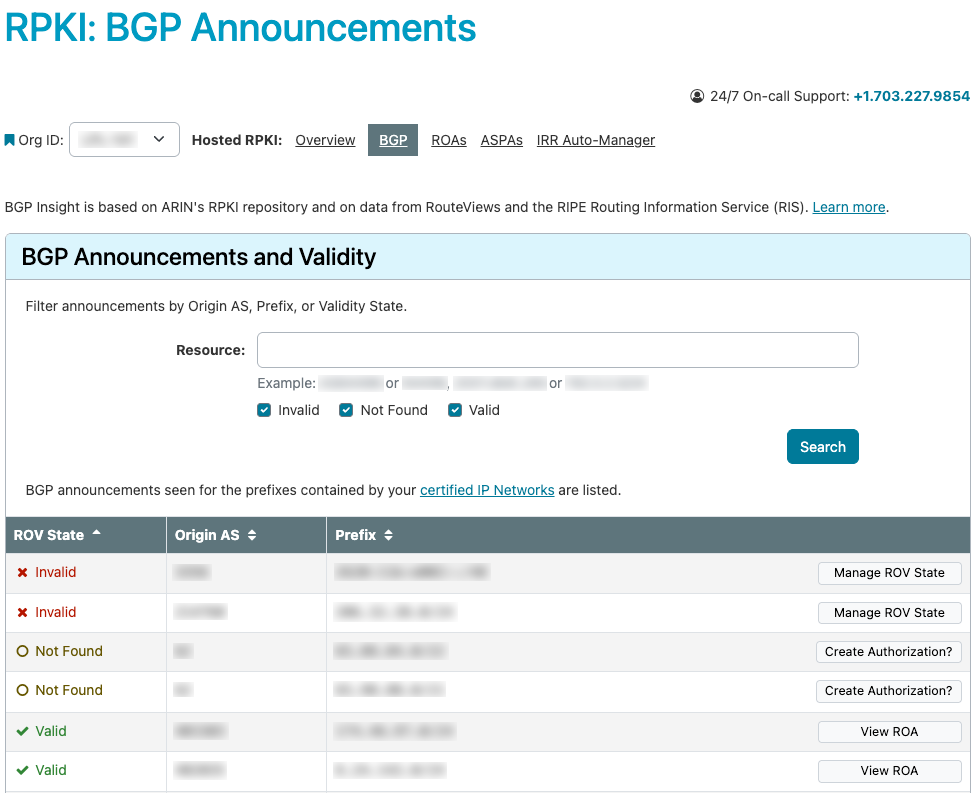
At the top of the BGP Announcements page is a search field to filter announcements by Origin AS, prefix, or RPKI validity state.
The first column of the table provides the ROV State for the BGP route announcement. There are three possible results, each with their own available action:
- Invalid
- Not Found
- Valid
Additionally, the Origin AS and prefix are shown with the available action for each RPKI validity state.
Invalid - Manage ROV State
The “Manage ROV State” option is available when the announcement does not align with contents of the invalidating ROA.
- Select “Manage ROV State” to review your invalid BGP announcement.
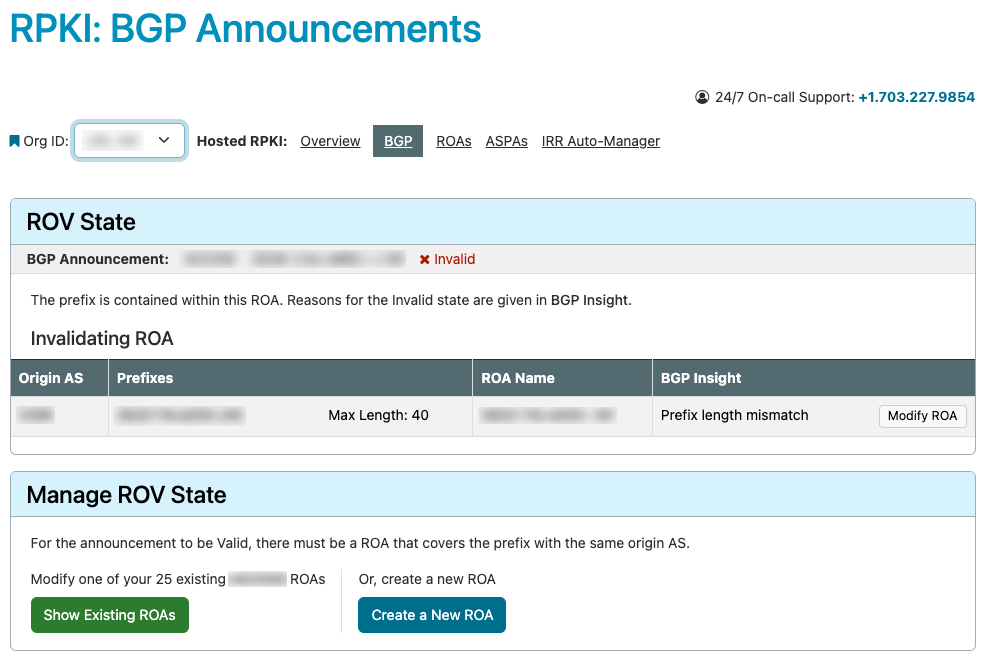
The “ROV State” panel will display the BGP announcement summarized, as well as the invalidating ROA.
- Select “Modify ROA” to be taken to the Modify ROA page.
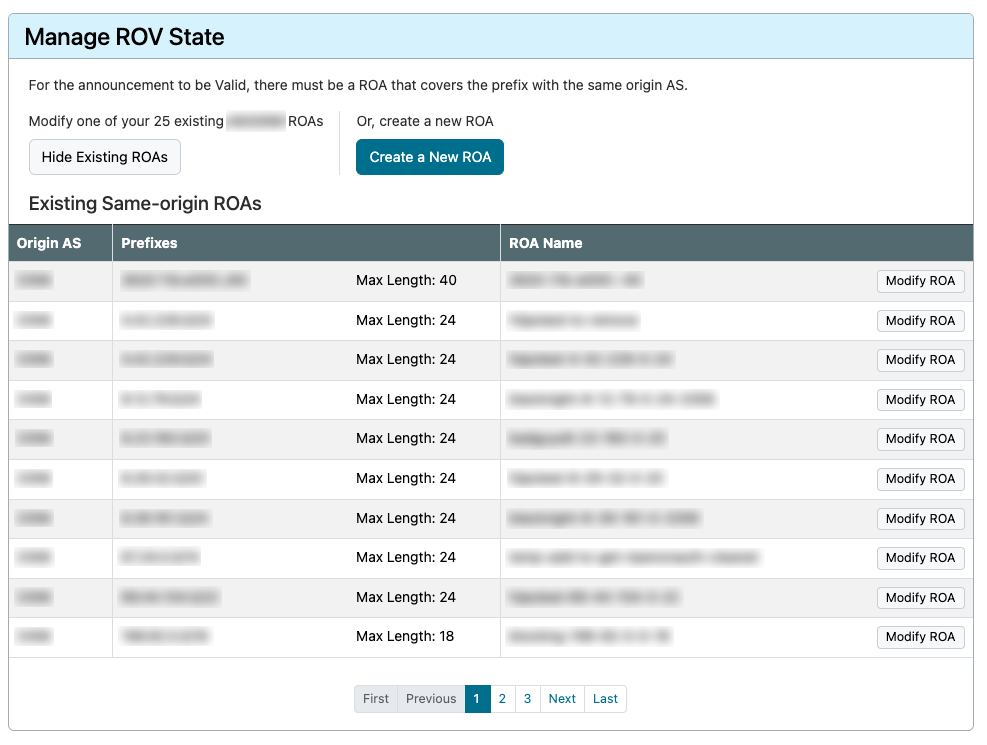
Additionally, the “Manage ROV State” panel will display other options to validate your route by modifying another existing ROA or creating a new ROA. Select “Show Existing ROAs” to expand the panel to display your existing same-origin ROAs. Select the one you wish to modify and select “Modify ROA” or “Create a new ROA.”
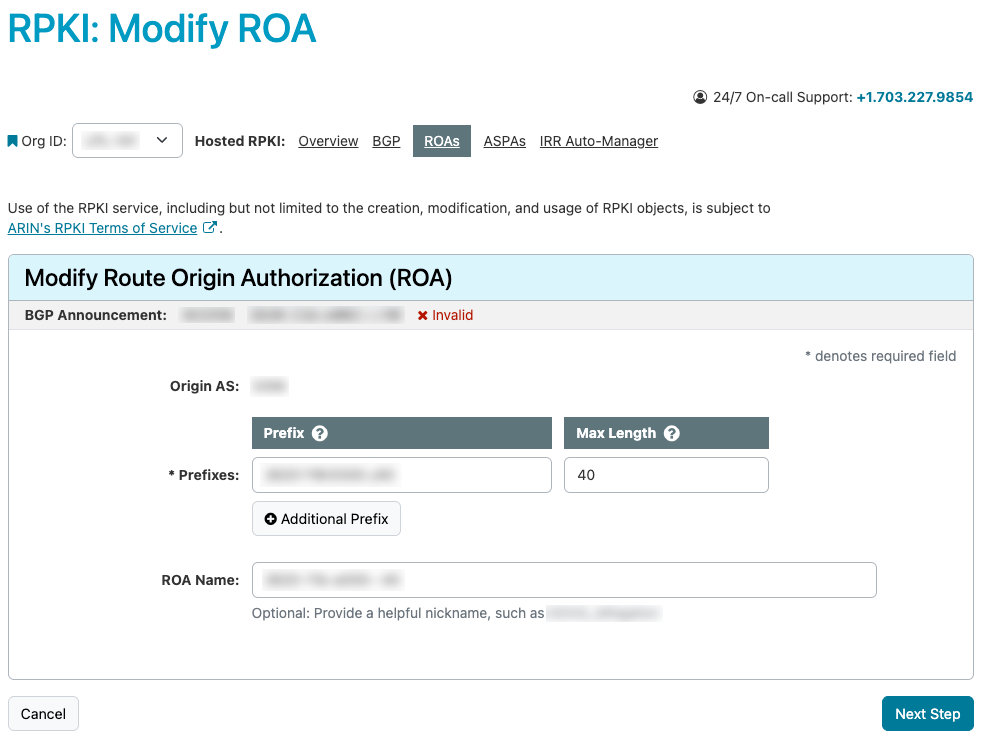
- Selecting any “Modify ROA” from this page will advance to the “Modify ROA” page. The “Modify Route Origin Authorization (ROA)” panel will show the editable fields for the selected ROA. From here you can edit, review, and save the updated ROA.
Not Found - Create Authorization
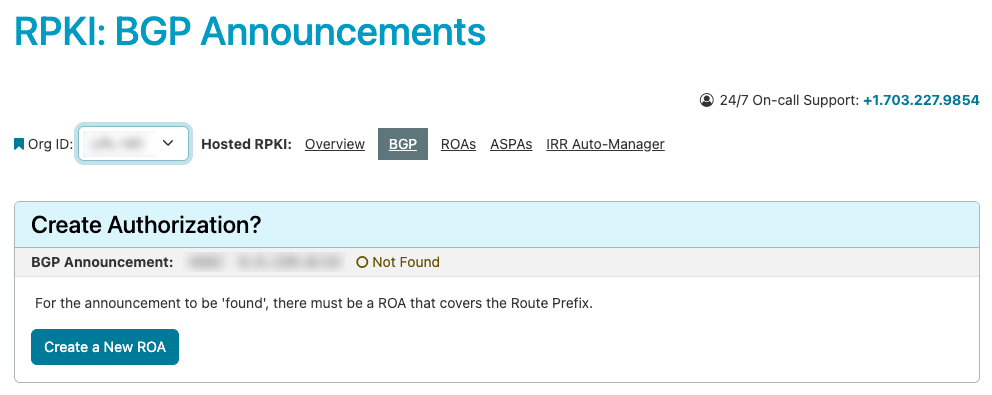
The “Create Authorization” option is available when no RPKI valid ROA is found covering the listed route prefix.
- Select the “Create Authorization” button.
- On the “Create Authorization” page, and the subsequent pages, you will see the BGP announcement summarized at the top of the panel.
If there is an existing ROA for the AS, “Show Existing ROA” will be available. If there is not, only “Create a New ROA” will be available.
- Select Create a New ROA.
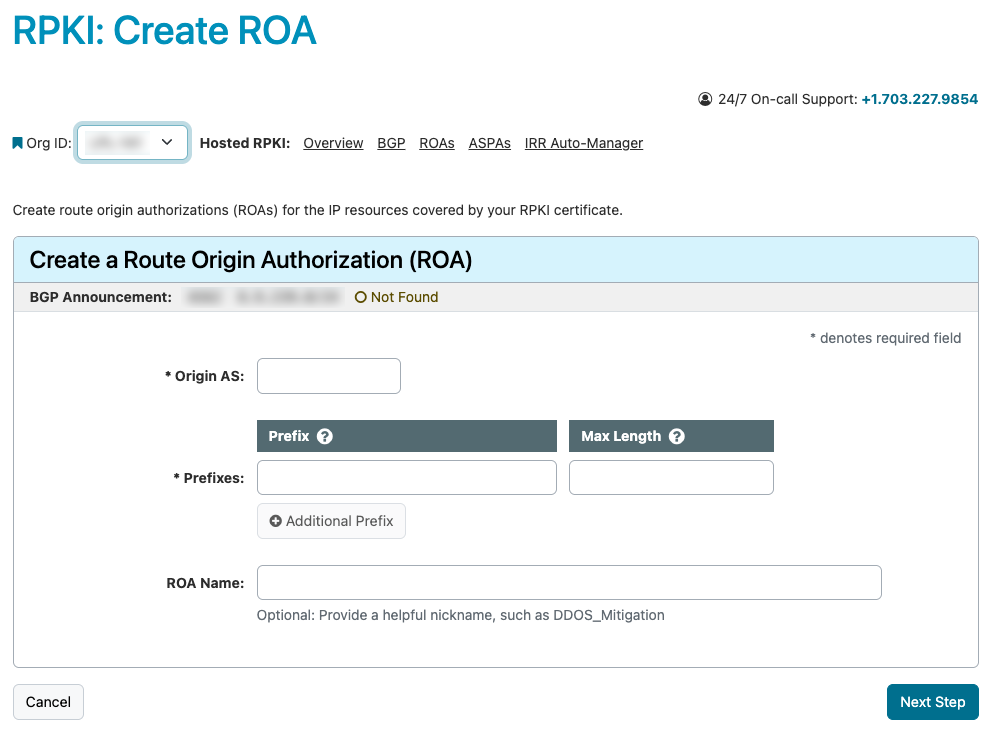
- On the “Create a Route Origin Authorization (ROA)” page, enter the required information for the new ROA, and select “Next Step.”
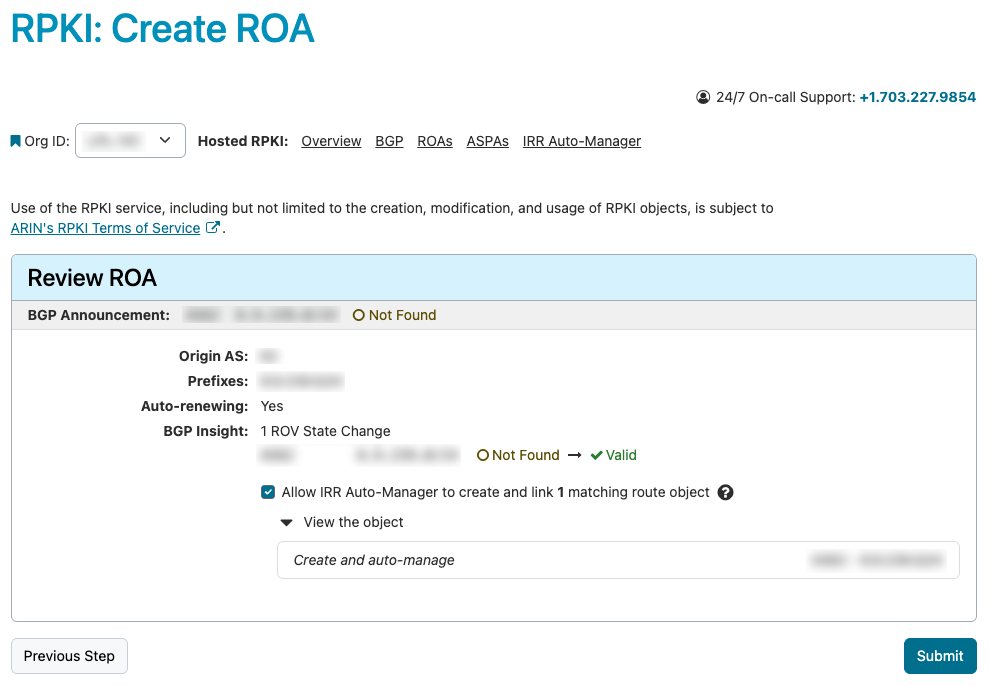
- When reviewing pending changes, the BGP Insight field will show that the BGP announcement will change from an invalid to valid state. To confirm these changes, choose submit. Additionally, the IRR Auto-Manager feature is available to create and link a matching route object.
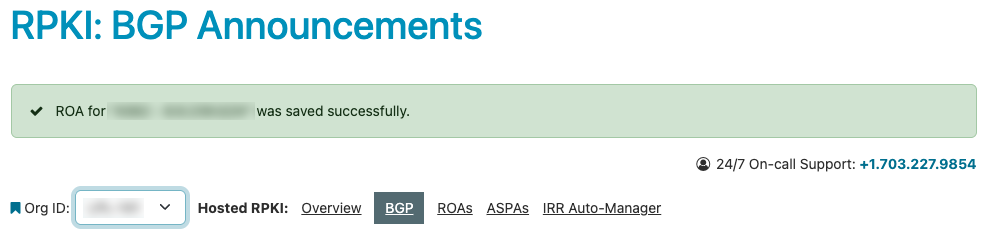
- The ROA will be created, and a confirmation message will be shown on the “RPKI: BGP Announcements" page.
Valid - View ROA
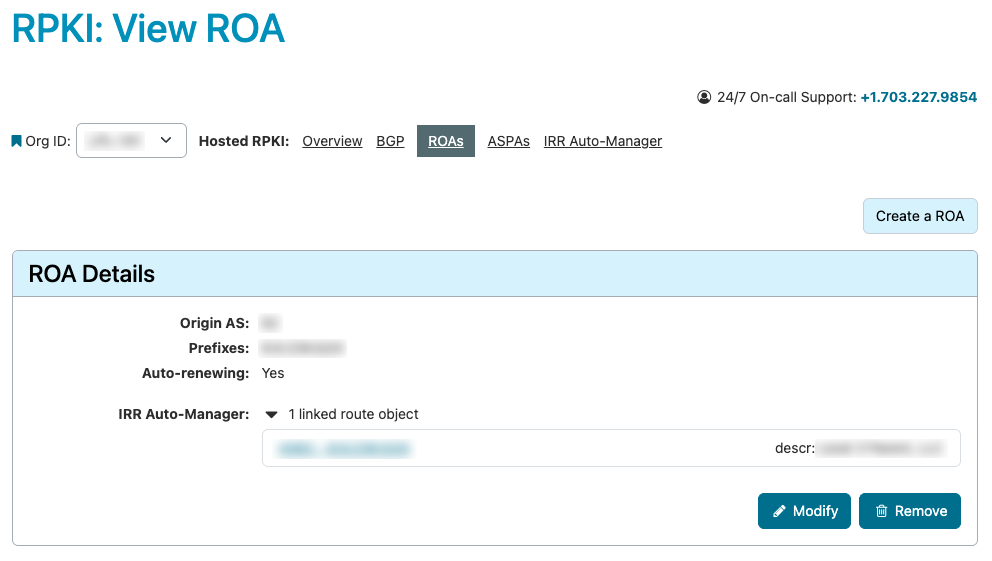
The “View ROA” option is available when the ROA covers the announced route prefix.
Select “View ROA” to see the details of the valid ROA. The options to modify or remove the ROA are still available, but no actions are required.
Sources
Data used in ARIN’s BGP announcements comes from the following sources:
Resource Public Key Infrastructure (RPKI)
- About RPKI
- RPKI Deployment Options
- Route Origin Authorizations (ROAs)
- BGP Announcements
- Autonomous System Provider Authorizations (ASPAs)
- RPKI Help and Information
Registration Services Help Desk
7:00 AM to 7:00 PM ET
Phone: +1.703.227.0660
Fax: +1.703.997.8844