


Managing Incoming Assignments
Introduction
With the January 2026 release, ARIN gives organizations control over whether to receive reassignments and reallocations from other organizations. This feature is designed to protect the recipient organization against bad actors and from reputational damage. When an Org ID is set to not accept reassignments, any attempt by a resource holder to reassign or reallocate to that Org ID will be rejected.
By default, all Org IDs are set to accept reassignments. No action is required to continue accepting reassignments.
Using Your ARIN Online Account
To set an organization’s acceptance or prevention of reassignments using ARIN Online:
Note: This feature can only be accessed by an Admin or a Tech Point of Contact.
- Select Your Records > Organization Identifiers from the navigation menu, then select the Org Handle (Org ID) of the organization you wish to update.
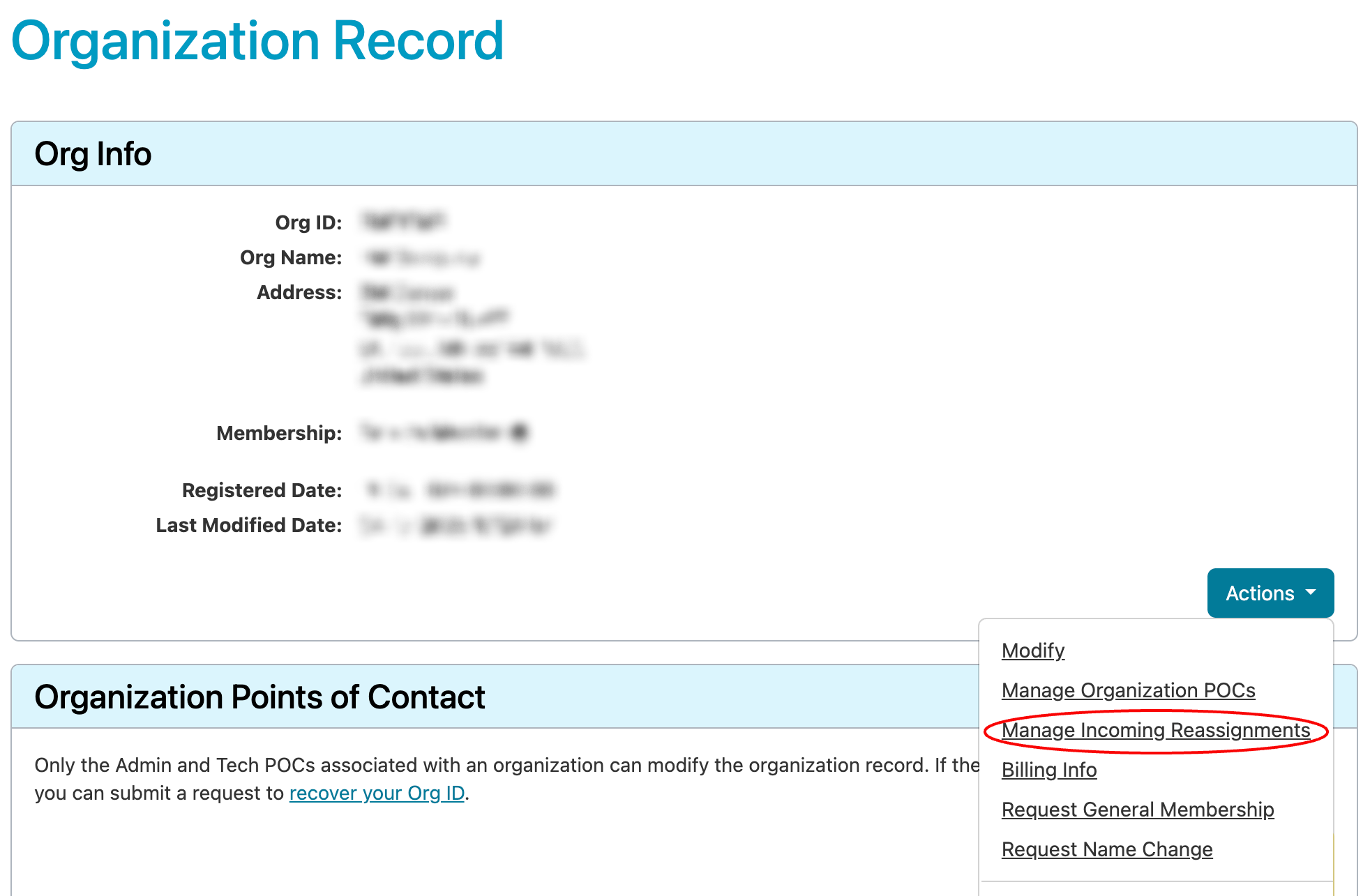
- On the Organization Record page, in the Org Info box, use the Actions menu to select Manage Incoming Reassignments.
- On the Manage Incoming Reassignments page, your current setting will be selected. To change the setting, select the option you want, then Submit.

- On submit, your selection will be saved, and you will be returned to the Organization Record page.
Using Reg-RWS
The RESTful Org Payload includes an acceptReassignments field. This is a boolean field (true or false) that will return an organization’s setting over whether or not to receive reassignments and reallocations from other organizations.
Attempts to use Reg-RWS to reassign resources through the Reassign NET or Reallocate NET methods to an Org that has chosen not to accept reassignments will return an error code 403.