


Hosted RPKI
What is Hosted RPKI?
Hosted Resource Public Key Infrastructure (RPKI) is an infrastructure in which ARIN hosts a Certificate Authority and signs all Route Origin Authorizations (ROAs) for resources within the ARIN region. Only direct resource holders can participate in RPKI. Reallocated and reassigned net resources cannot be added to an organization’s RPKI certificate. Any downstream organization must have their upstream provider submit ROAs on their behalf.
Hosted RPKI’s benefits include:
- Ease of use
- Little to no coding required from participants
- Certificate Authority functionality work taken care of by ARIN
- Data security via a hardware security module
- Functioning repository provided by ARIN
In Hosted RPKI, ARIN issues you a certificate that means you are authorized to submit routing information for your resources. For example, you can specify that all traffic for a certain IP address that you manage should originate from a specified Autonomous System Number (ASN).
You then add your routing information in ARIN Online, and that information is propagated every few minutes to ARIN’s RPKI repository. Other organizations then use ARIN’s RPKI information to determine authorized routes for traffic on the Internet.
IMPORTANT: The Internet number resources you want to certify with RPKI must be covered by an ARIN Agreement.
Configuring Hosted RPKI in ARIN Online
Configuring Hosted RPKI requires the following steps. Choose the links to obtain additional information about each step.
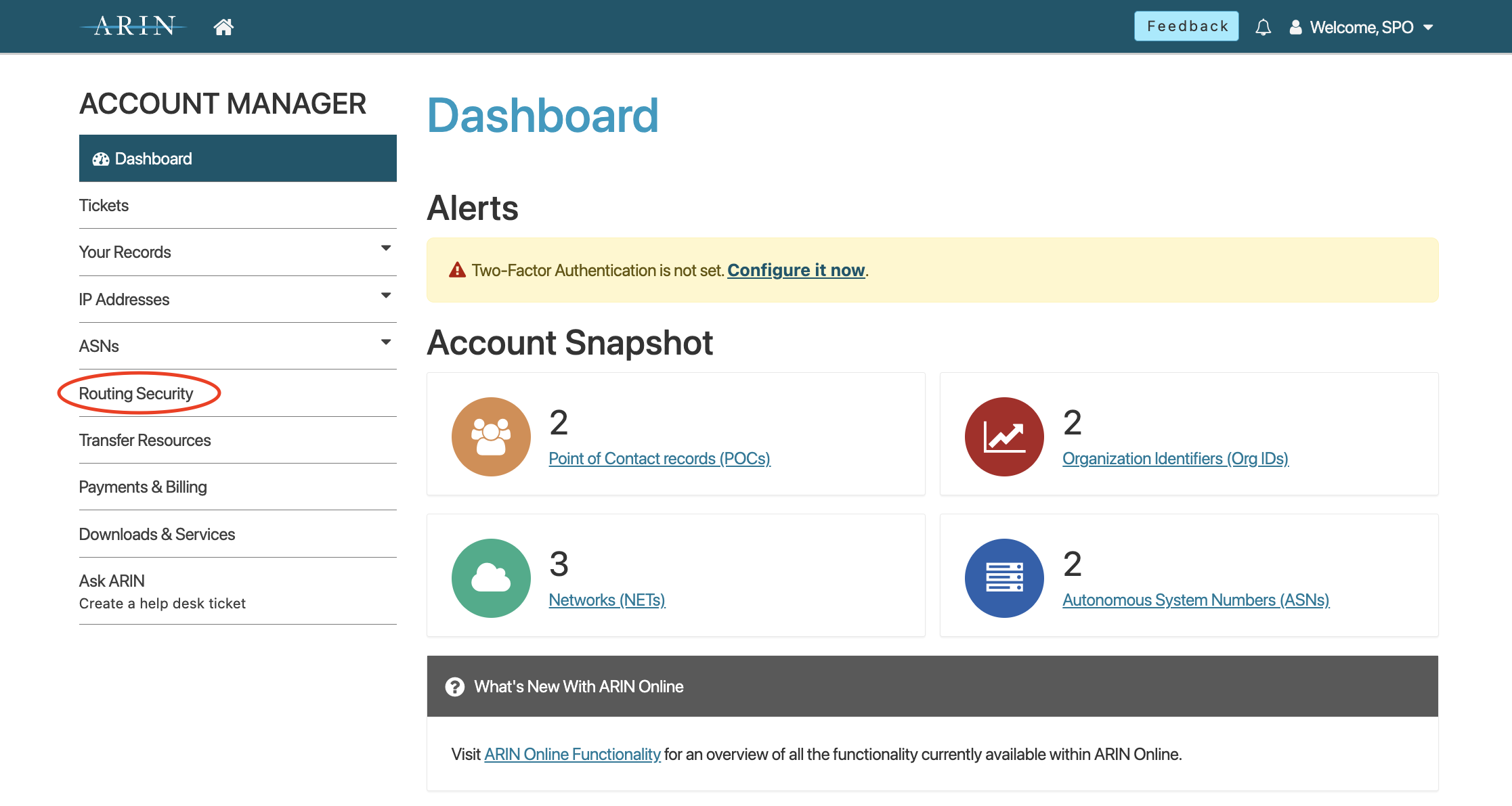
- Log in to ARIN Online and select Routing Security from the navigation menu.
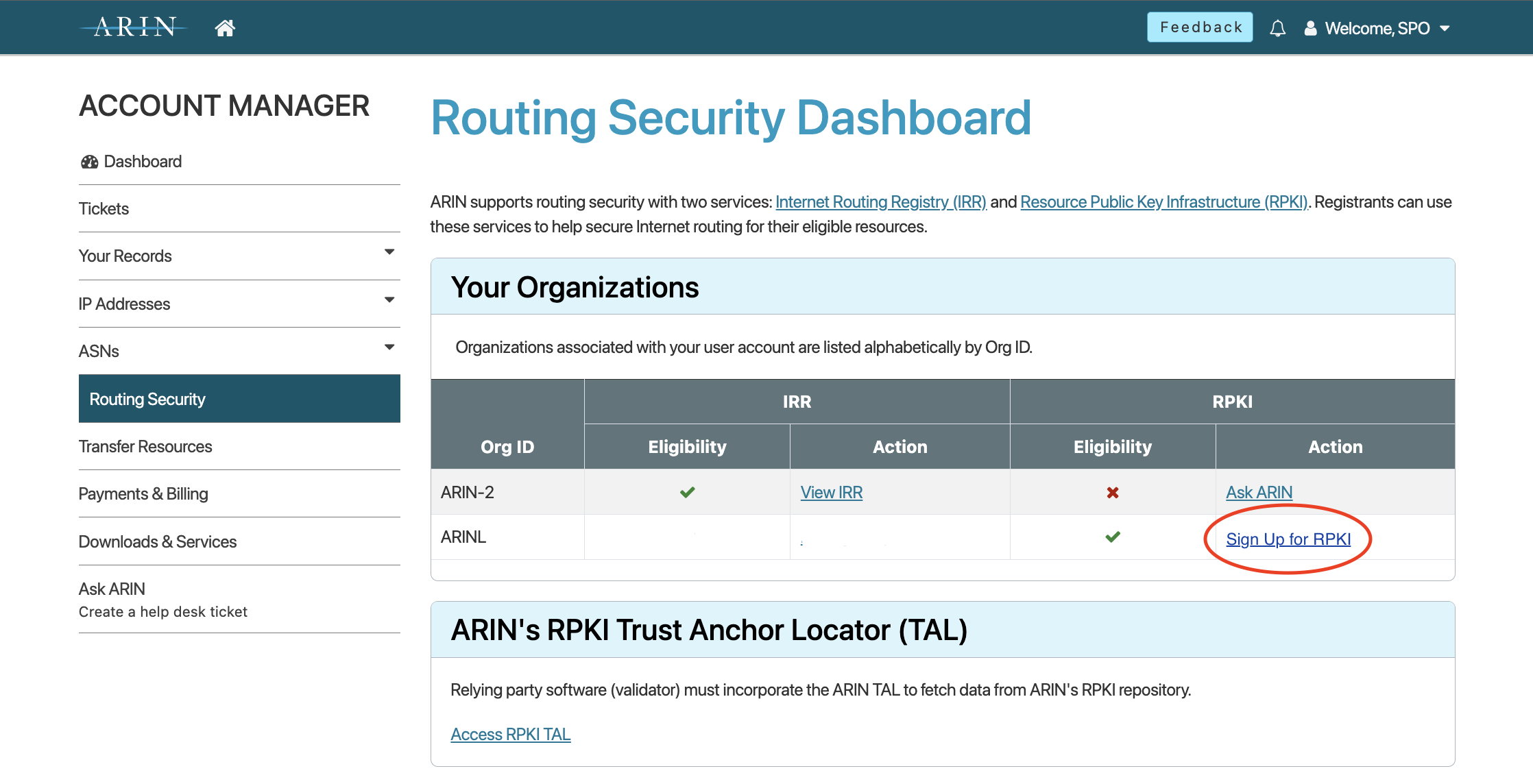
- On the ‘Routing Security Dashboard’ page, under “Your Organizations,” select Sign Up for RPKI for the organization for which you want to configure Hosted RPKI.
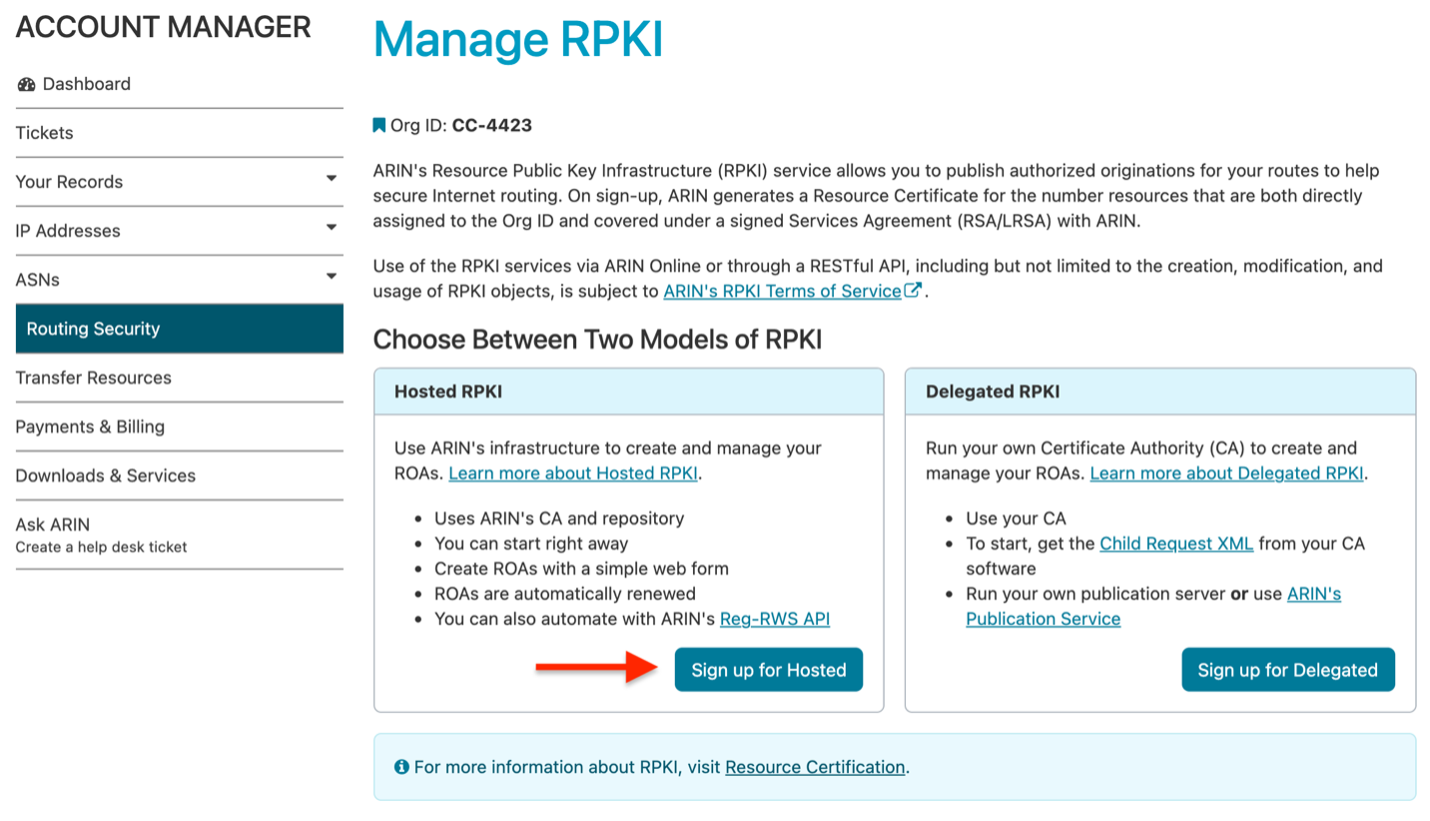
- On the ‘Manage RPKI’ page, under “Choose Between Two Models of RPKI,” select Sign Up for Hosted to make your resource certificate request.
-
In the top bar of the ‘Manage RPKI’ page, select Hosted Certificate to begin your certificate request.
-
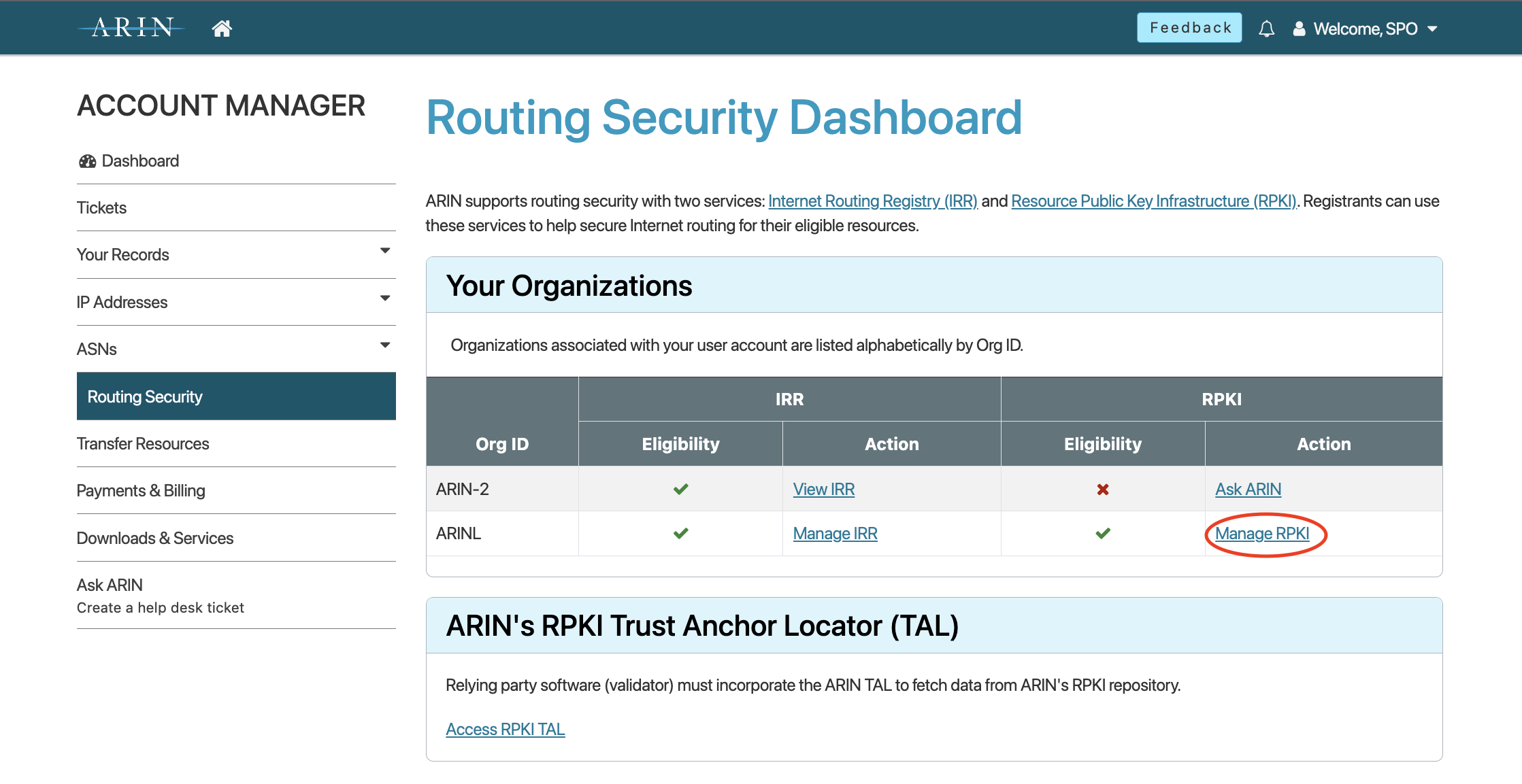
After you submit your request, you will be returned to the ‘Routing Security Dashboard’ page. Select Manage RPKI.
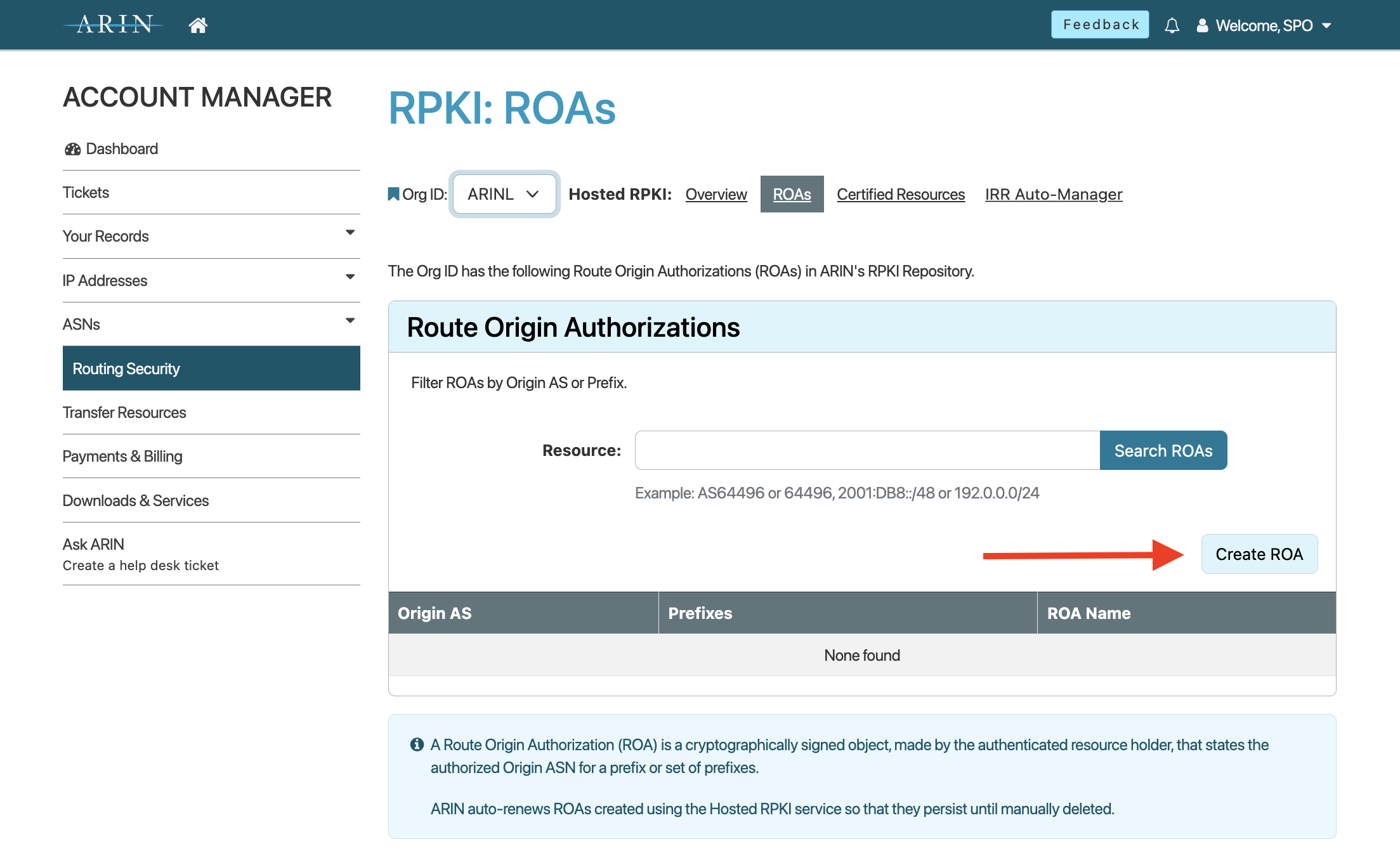
- On the ‘RPKI: ROAs’ page, you can begin creating ROAs for your resources by selecting Create ROA.
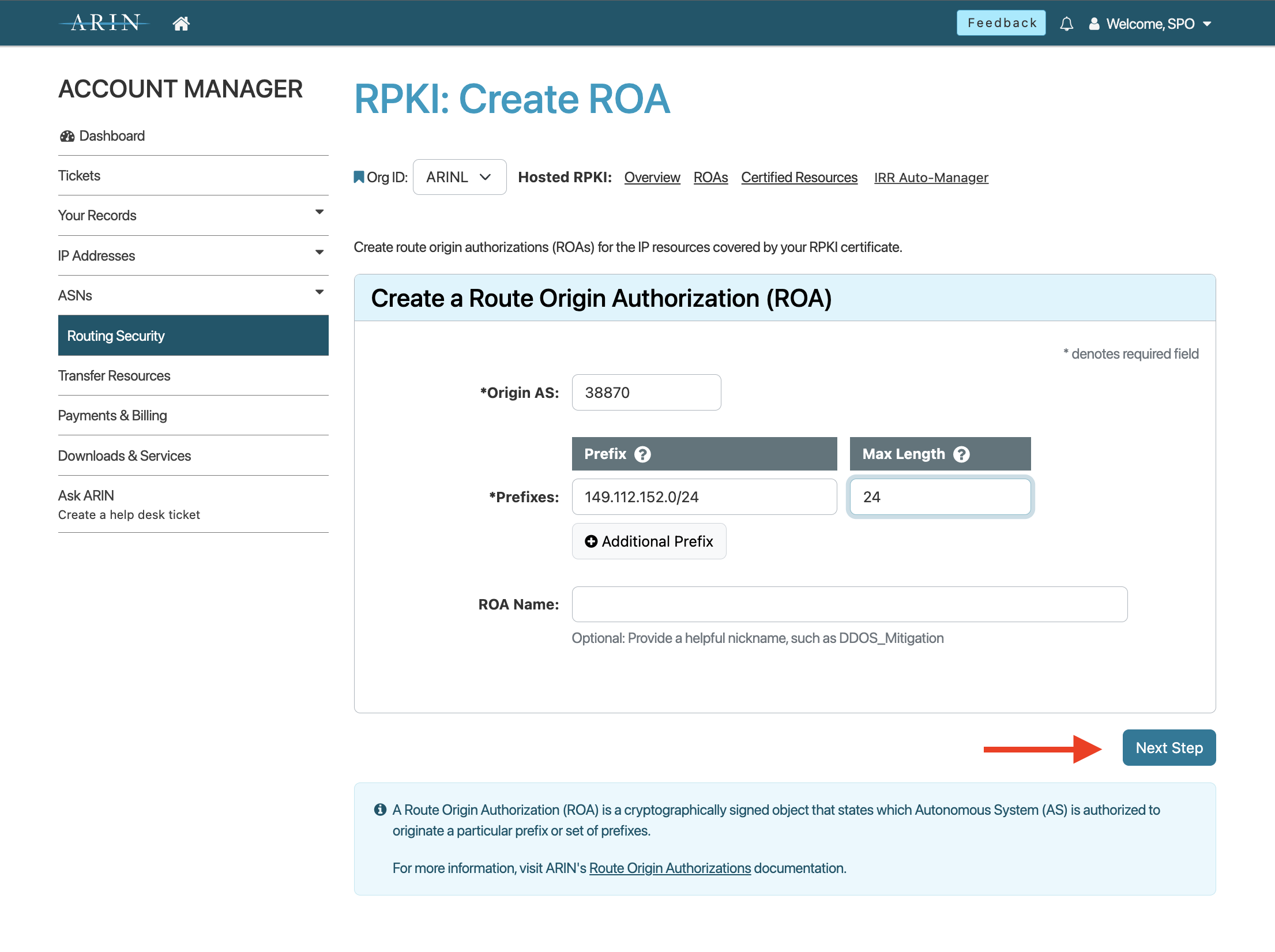
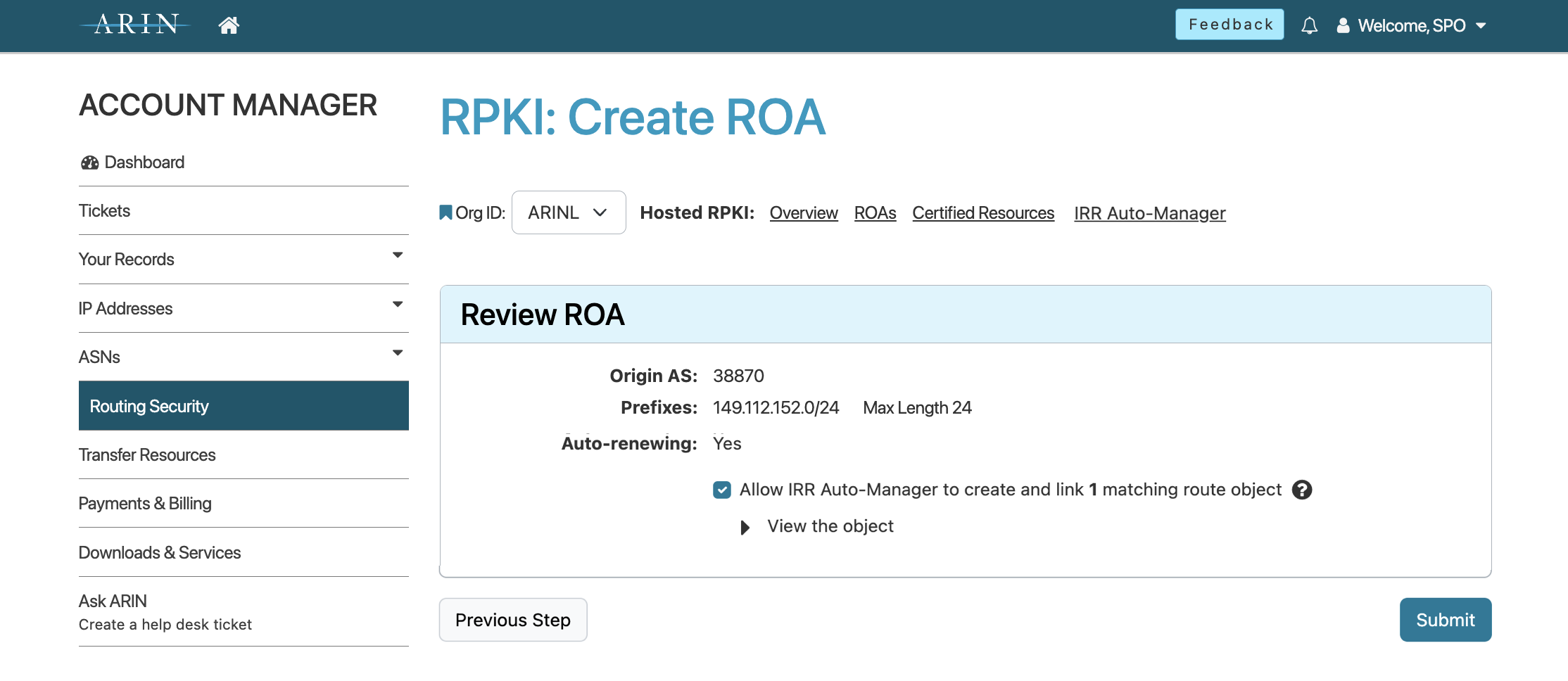
- After entering the required information, select Next Step. Verify the information in your ROA is correct, choose whether to create a matching IRR route object, and select Submit.
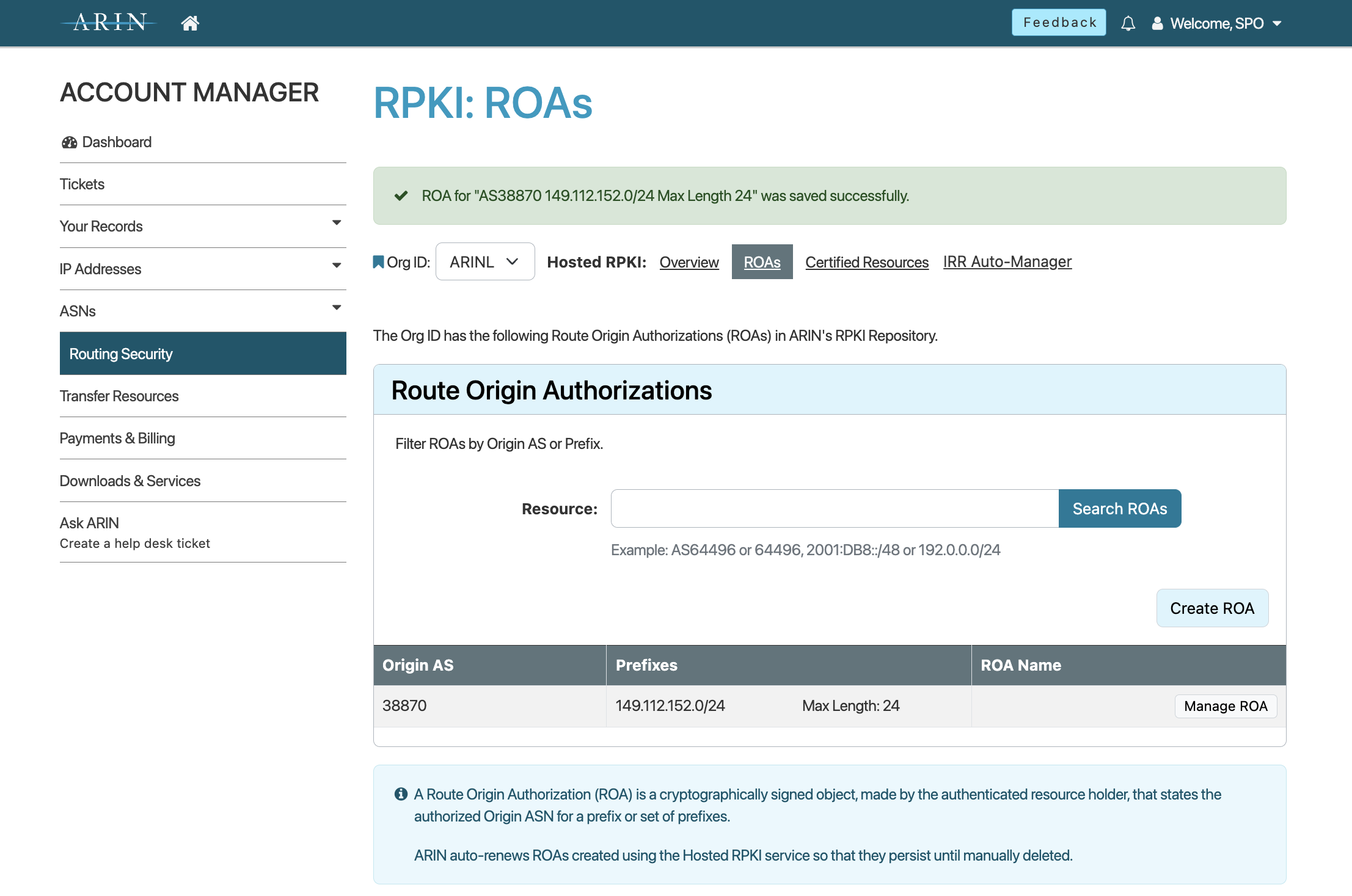
You will be returned to the ‘RPKI: ROAs’ page, where you will receive confirmation that your ROA has been created, and your ROA will be listed in the “Route Origin Authorizations” table.
VIDEO: Creating a ROA
What is a Resource Certificate?
A resource certificate provides cryptographic validation that a collection of Internet number resources (IPv4 addresses, IPv6 addresses, and ASNs) belong to you as the authorized resource holder. These certificates contain no identifying information about the holder of the resources.
Accessing Your Resource Certificates
To view the information on your resource certificate from the ‘Manage RPKI’ page:
- Log in to ARIN Online and select Routing Security, then RPKI from the navigation menu.
- Select View Details for the organization whose resource certificate you wish to see.
- Select Certified Resources from the top menu.
Managing RPKI Resources
- Log in to ARIN Online and select Routing Security, then RPKI from the navigation menu.
- In the ‘Your Organization’ window, select View Details for the organization for which you want to manage RPKI resources.
- You can perform the following actions:
- View, create, modify, and delete ROAs
- View your certified resources
Using the Operational Test and Evaluation (OT&E) Environment
ARIN has created an RPKI instance within its OT&E for those wishing to experiment with RPKI without affecting production data. For more information, see the OT&E page.
RPKI Deployment Options
- Hosted RPKI
- Delegated RPKI
- Repository Publication Service (RPS)
Related
Registration Services Help Desk
7:00 AM to 7:00 PM ET
Phone: +1.703.227.0660
Fax: +1.703.997.8844